WINDOWS APPLICATION · NETWORKJEE
Your network status.
Clearly visible.
Troubleshoot connections, inspect your local network and check network settings in one application. NetworkJee brings adapter details, connection tests and reports into one view.

From connection problems to understandable results
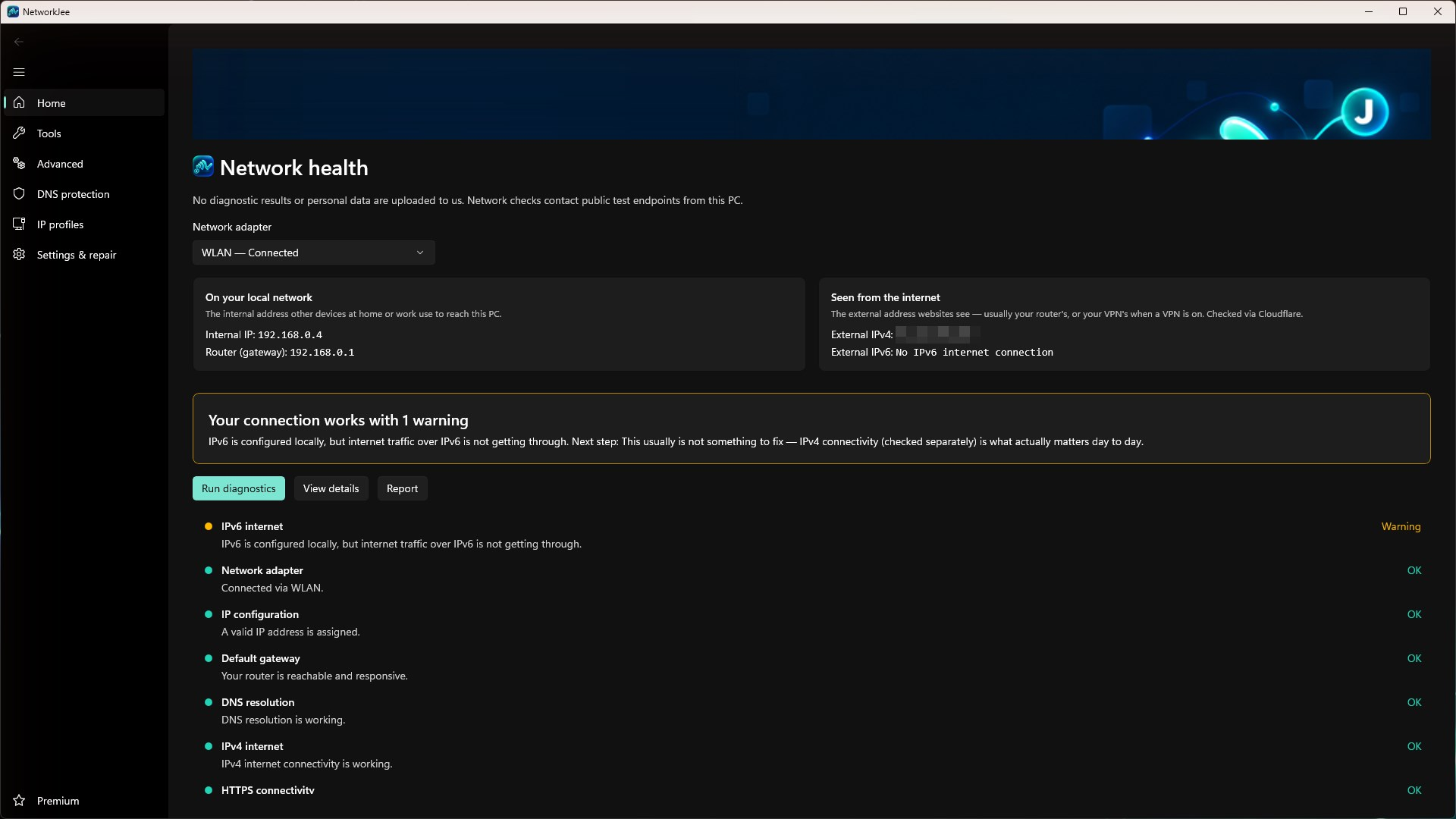
NetworkJee checks your network adapter, IP configuration, router, DNS, secure web connections, IPv4 and IPv6 connectivity, latency and packet loss. A clear summary highlights the most important finding and suggests a practical next step.
Your internal and external IP addresses and router appear directly on Home. Optional notification-area alerts tell you when the connection drops or returns, when you join a new or open Wi-Fi network, or when another program changes DNS or IP settings.
Windows asks for administrator approval only when the selected action requires it. DNS and IP settings changed by NetworkJee can always be restored, and restore and repair functions are never behind the paywall.
FREE FEATURES
Diagnostics and essential tools
- Guided connection diagnostics, clear summary and suggested next steps
- Internal and external IP address and router on Home
- Local alerts for connection, Wi-Fi, DNS and IP changes
- Ping with live latency and packet-loss statistics
- TCP port test for websites, servers and services
- Cloudflare speed test for download, upload, latency and jitter
- Traceroute with a hop-by-hop view
- DNS lookup for A, AAAA and CNAME records
- IPv4 subnet and CIDR calculator
- Local device discovery with IP and MAC addresses
- DNS changer with Cloudflare, Google and Quad9 presets
- DNS protection profiles that block known malicious or adult websites
- DNS cache flush, DHCP renewal and adapter restart
- Local TXT reports with privacy redaction enabled by default
NETWORKJEE PREMIUM
Advanced tools with a one-time purchase
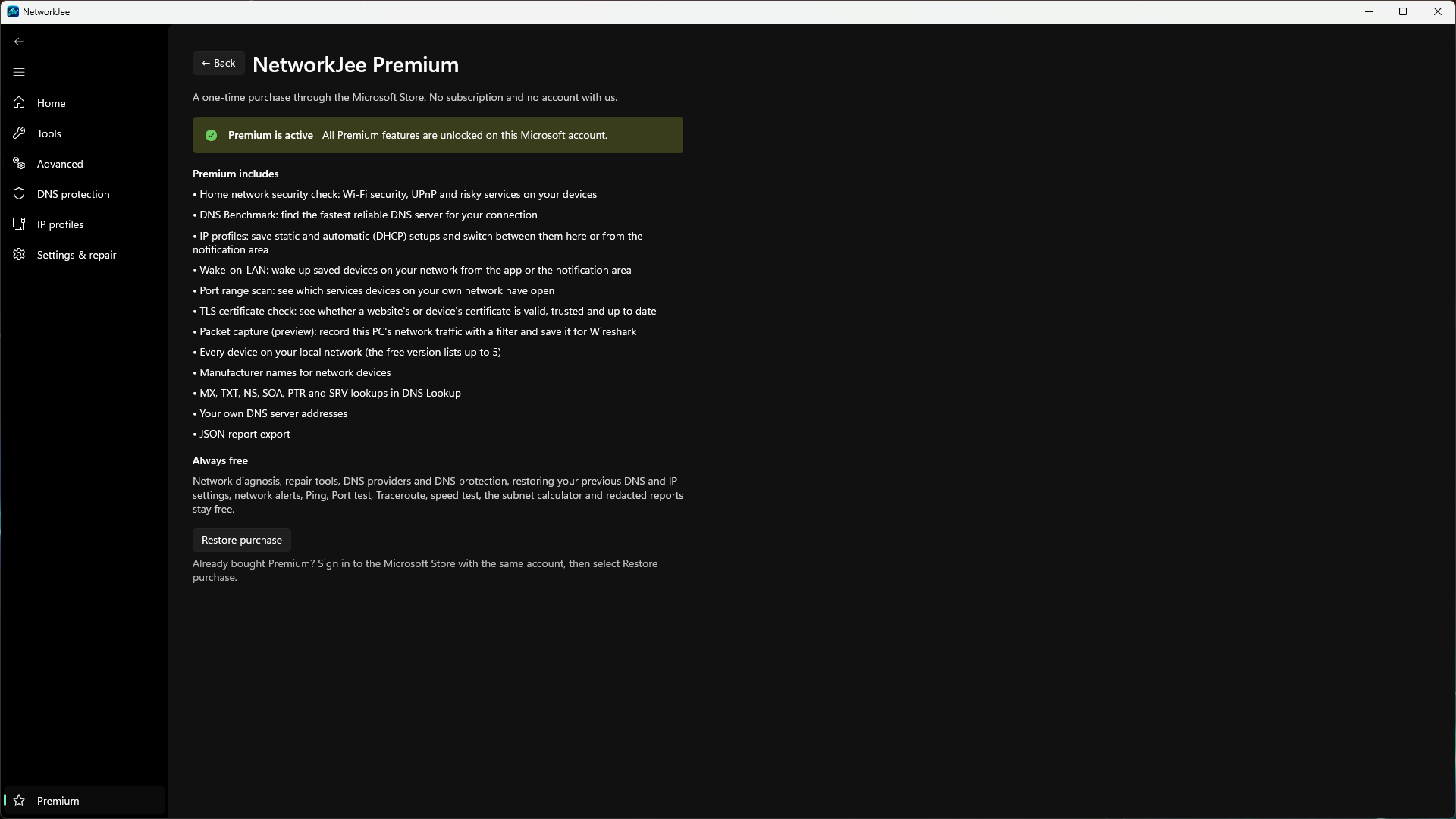
The optional Premium add-on is not a subscription. Safety, restore and repair functions always remain free.
- IP profiles for switching between static and DHCP configurations
- Wake-on-LAN for saved devices on your local network
- Port range scan of up to 1,024 ports on your own devices
- TLS certificate validity, trust and issuer checks
- Packet capture with Windows Packet Monitor and pcapng export
- Home-network security check for Wi-Fi, UPnP and risky services
- DNS benchmark with custom test servers
- Full local device list with manufacturer names
- Additional DNS record types and custom DNS servers
- JSON reports for technical support

Local results, transparent connections
NetworkJee requires no user account and contains no advertising, analytics or telemetry. Diagnostic results, settings and logs remain on your device. Network tests connect to their test destinations, which may receive ordinary connection data such as your public IP address. Report redaction is enabled by default.
Available from Microsoft Store. Free core features with paid add-ons.
NETWORKJEE
Get NetworkJee
Open Microsoft StoreINSIDE THE APPLICATION
See it in use